

Enhanced 2FA
Enhanced Security Changes coming June 29, 2026
Starting June 29, 2026, additional security measures will be implemented to help protect your online banking account.
As part of this enhancement, text/phone verification will no longer be supported as a two-factor authentication (2FA) method for business customers.
Business customers currently using text/phone verification will be required to enroll in a supported Enhanced 2FA method.
Customers already enrolled in an Enhanced 2FA method will not be impacted and no action is required.
Removing 2FA through the Online Banking Dashboard
- Login to the Online Banking Dashboard
- In the lower left-hand corner, locate your profile name and click on it.
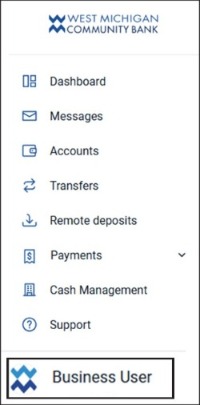
- Click Personal Settings.

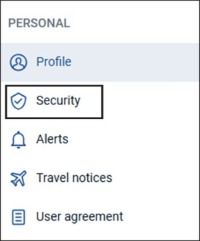
- Click on Security.
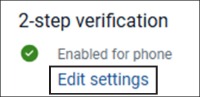
- Locate 2-step verification and click on Edit settings.
- Under Verified Methods, click on Remove.
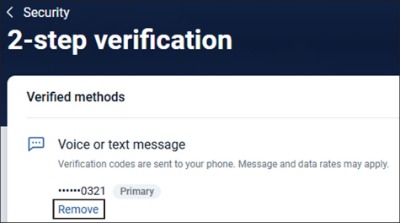
- You will be prompted to enter your current 2FA.
- Click Next.
- Enter your code and click on Verify.
- It will ask you, “Are you sure? As it will automatically log you out of the system.
- Click Remove.
- Log back in to set up the Enhanced 2FA.
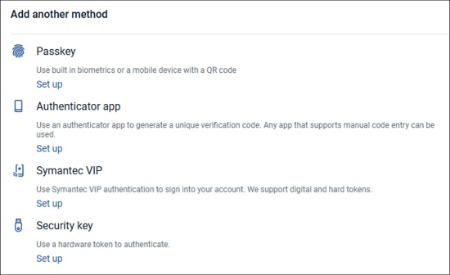
Note: You can also set up additional 2FA methods, by following the above and clicking on Set Up under Add another method.
What to Expect
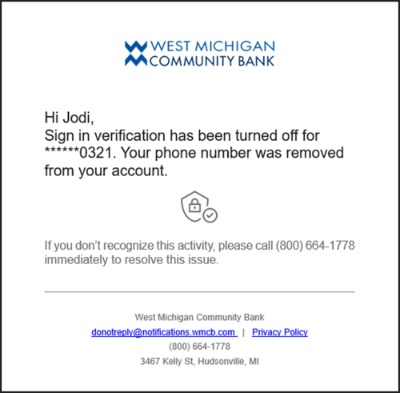
As unsupported text/phone verification methods are removed, impacted customers will automatically receive an email notification confirming the removal of that verification method.
This is an expected security notification and will prompt customers to log in and enroll in a new Enhanced 2FA method.
Instructions
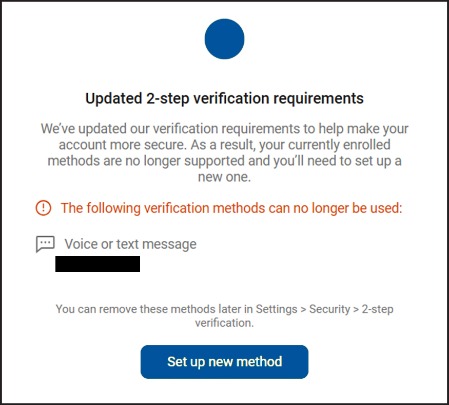
Once logged into Online Banking, this screen may display. Select Set up new method
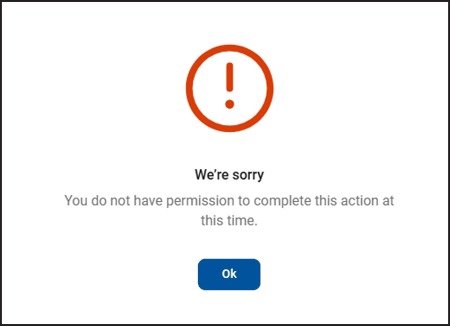
If a “high risk” action such as Wires, ACH or Admin Changes are attempted without a properly enrolling in an Enhanced 2FA option, this screen will display. Select Ok.
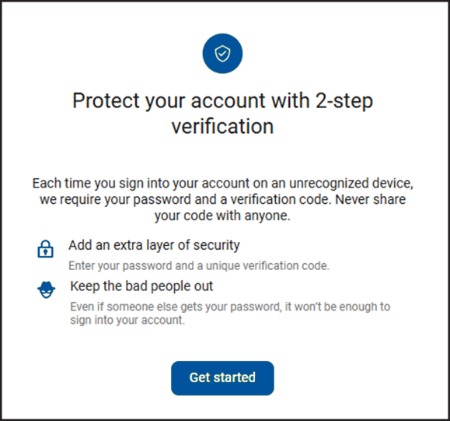
This screen will display when registering the new Enhanced 2FA option. Select Get started.
This screen displays the available Enhanced 2FA options. Select your preferred method.
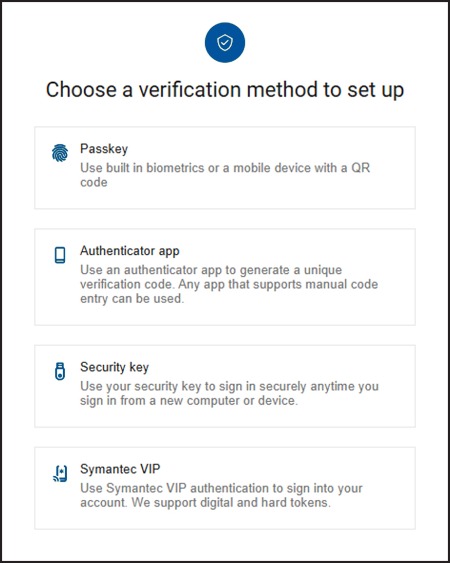
Available Enhanced 2FA Options
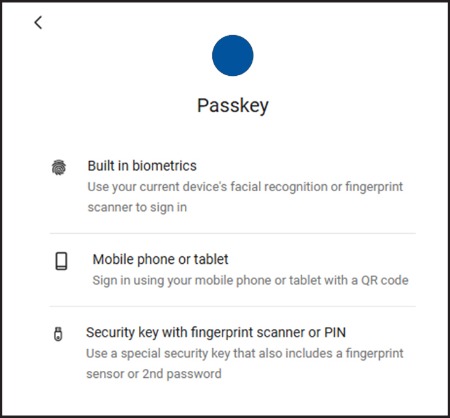
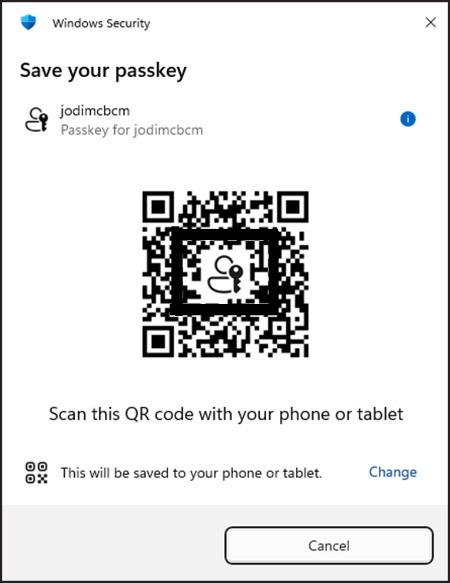
Passkey
Passkeys use built-in biometrics, such as Face ID or fingerprint authentication, with a QR code scanned on your mobile device to securely verify your identity.
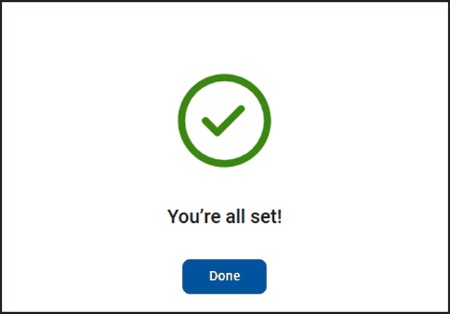
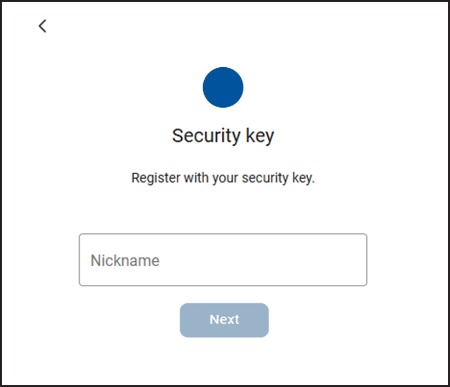
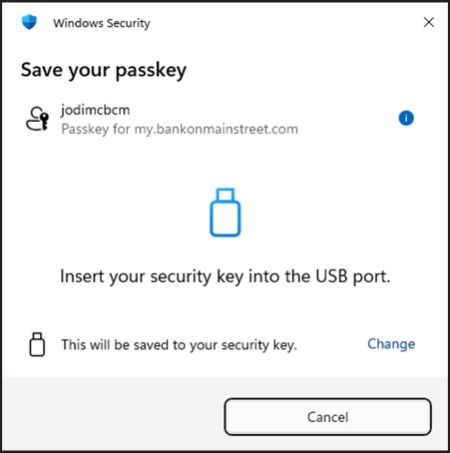
Security Key
A Security Key is a physical token that connects to your computer through USB, Bluetooth, or NFC to securely authenticate your login.
All physical keys must comply with FIDO security standards.
Recommended Security Keys include:
- Titan Security Key
- YubiKey Bio Series
Symantec Hardware/Software Token
Hardware Token
A physical token that generates secure authentication codes.
To request a hardware token, please contact Treasury Management or eBanking.
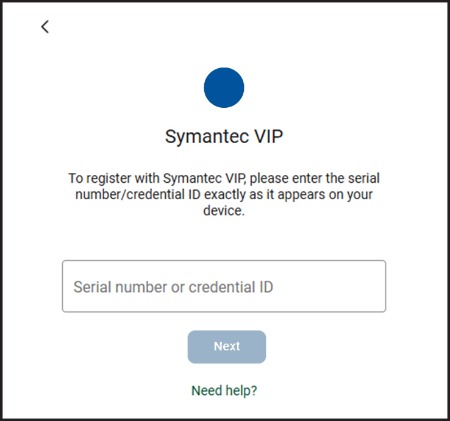
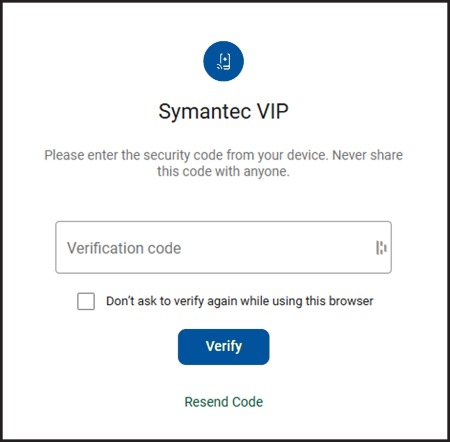
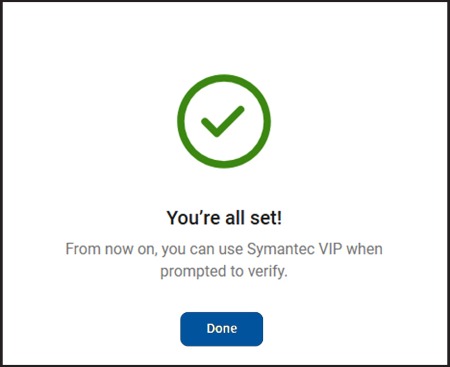
VIP Access Mobile App
A mobile application that generates secure authentication codes directly from your device.
Please download the app, VIP ACCESS.
Authenticator App
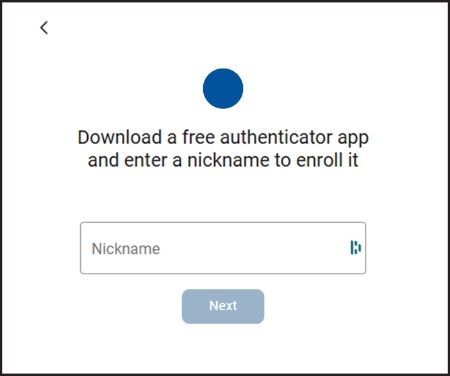
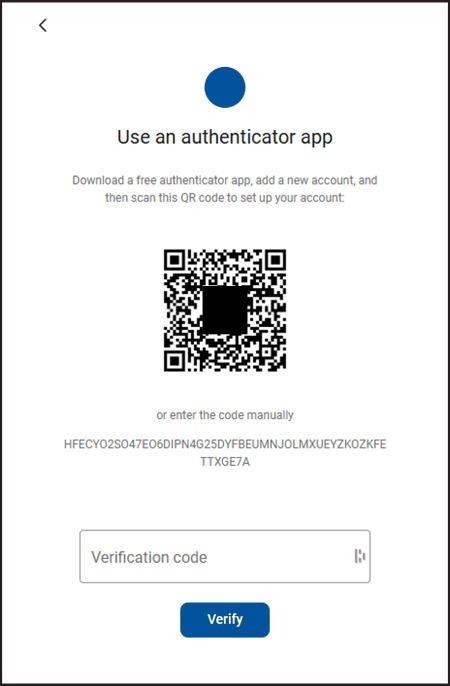
An Authenticator app is a mobile application that generates a rotating 6-to-8-digit verification code that refreshes approximately every 30 seconds to securely verify your identity.
Recommended authenticator apps include:
- Duo Authenticator
- Google Authenticator
- Microsoft Authenticator
Frequently Asked Questions
Why is this change being made?
These enhanced security measures help better protect your online banking accounts and sensitive financial information.
Who is impacted?
Only business customers currently using text/phone verification for 2FA will need to enroll in a new authentication method.
Customers already using an Enhanced 2FA method will not be impacted.
When will this change take effect?
The change will begin on June 29, 2026.
Will I receive a notification?
Yes. Impacted customers will automatically receive an email notification when their text/phone verification method is removed.
This is an expected notification and part of the security enhancement process.
Once you receive this email notification, please log in to Online Banking and enroll in one of the available Enhanced 2FA methods to continue securely accessing your account.
We’re Here to Help!
If you need assistance or have questions, please contact your local West Michigan Community Bank branch.